help
Contact Forms
Contact Forms
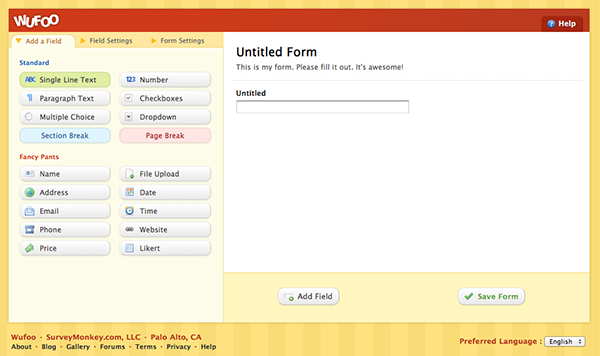
The easiest way to add a contact form on Salon.io is to use the free service Wufoo.com. You might want to do this if you don't want to openly share your email address on your site.
Sign up for a free account on Wufoo by going to their homepage and clicking the 'sign up' button. Follow the instructions and then login.

Select the 'New form!' button to begin creating a form.
From here you can either build your own form completely from scratch or use one of their templates. If you're just trying to create a simple contact form then select ' Try one of our HTML Templates from the Wufoo Form Gallery!'.

Scroll down and select the 'Contact Form' template.

Then click 'use this form'.

From here you can customise further or just select 'save form'.
You will then be asked if you want to setup notifications - this is of course up to you but we recommend setting up email notifications.

First enter your email address then change the 'reply-to' field to 'Email Address' then save your changes. This means that when someone uses the contact form their message goes straight to your email and you can then directly reply to their email in your mail client as normal without having to go through the Wufoo site.


Once this is done go back to your forms page.

Here select the form you just created and then the 'code' button.

Go to 'Embed form code' and then copy and paste the iframe version text into a textbox on your Salon.io site wherever you want the form to be.

You should end up with something similar to the form below!
JavaScript is turned off.
Please enable JavaScript to view this site properly.
 Salon.io